How to create a Google Business Profile in India, step by step
Updated 3 Oct 2026 by TopOnMaps team
Quick answer
Sign in to a Google account and go to business.google.com/create. Enter your business name exactly as it is on your signboard, pick a category, then add your business address or, if customers don't visit you, your service area. Add the phone number customers call and your website if you have one. Finish, then verify with the option Google offers you. Your profile shows on Search and Maps only after verification. Creating it is free.
People still call it Google My Business, and you'll see searches for "Google My Business registration" or "Google My Business account". Today it is called Google Business Profile, and it's what puts your business on Google Maps and in local search results. This guide walks you through creating one from scratch, written for shops, clinics and service businesses in India.
Before you start: what you need
A Google account
Any Gmail address works. Google suggests using a business email if you have one. Use an account you'll keep, not a staff member's personal ID.
Your exact business name
The name on your signboard, GST certificate or shop licence. Nothing added, no area name, no list of services.
Your address or service area
The full shop or office address with landmark and PIN code, or the areas you travel to if customers don't come to you.
The phone number customers call
A number you or your staff answer during business hours. Google may send a verification code to it by call or SMS.
Your main category
The one category that best describes what you are, like "Dentist" or "Sweet shop". You can add more later.
Hours and a few photos
Your regular opening hours, plus clear photos of the outside with the signboard, the inside, and your work or products.
For businesses in India
- Use the same name that appears on your signboard and on documents like GST registration or your shop and establishment licence. If the name on Google doesn't match what's in the real world, verification and later edits get harder.
- Home-based and doorstep businesses, like tutors, beauticians, electricians, caterers or AC repair, should choose that customers don't visit, hide the home address and set a service area. Google's rules say a business that doesn't serve customers at its address must hide it.
- Google doesn't accept virtual office addresses. A co-working desk only counts if it has your signboard, receives customers and is staffed by your team during business hours.
- Keep your name, address and phone number identical on Justdial, IndiaMART, Sulekha, Practo or wherever else you're listed. Mismatched details confuse customers and make your business look less trustworthy.
How to create your Google Business Profile account
Sign in to your Google account
Open business.google.com/create on a computer or phone and sign in with the Google account that will own the profile.
Enter your business name and category
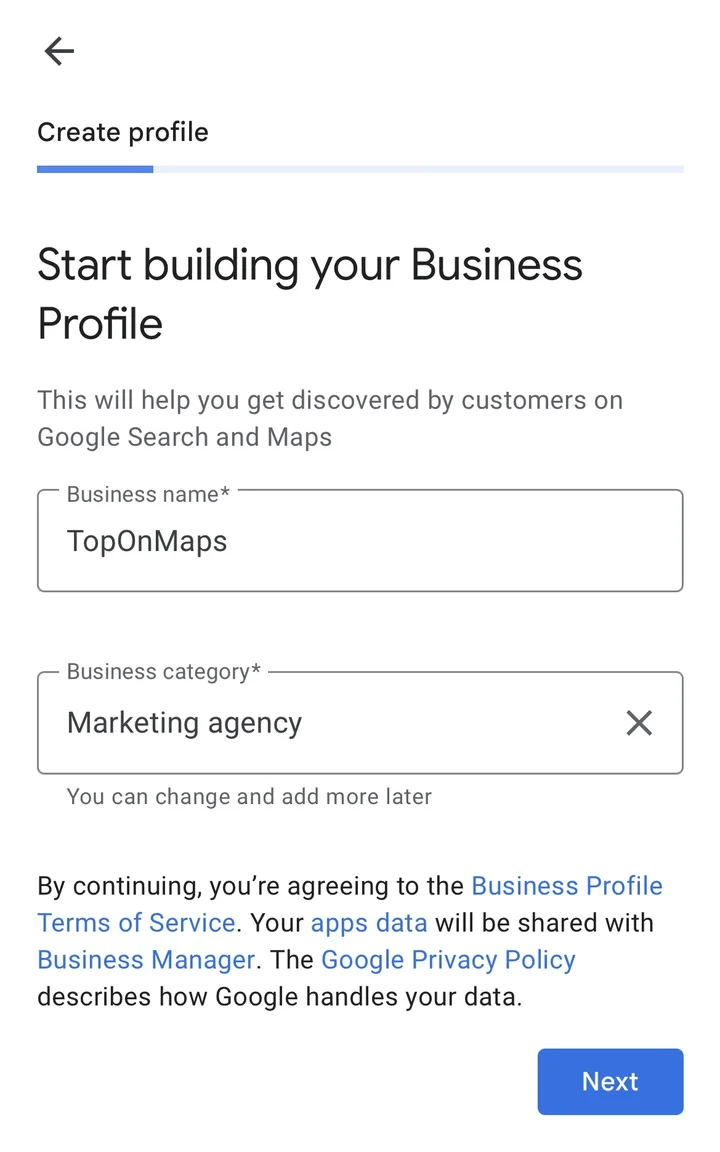
Both are on the first screen. Type the name exactly as it appears on your signboard. If Google suggests your business as you type, it may already be on Maps: select it to claim it instead of making a second one. For the category, pick what describes your whole business, not one product or service. Google notes you can change it and add more later.
Screenshot: Google Business Profile setup on a phone, October 2026 Say whether customers can visit you
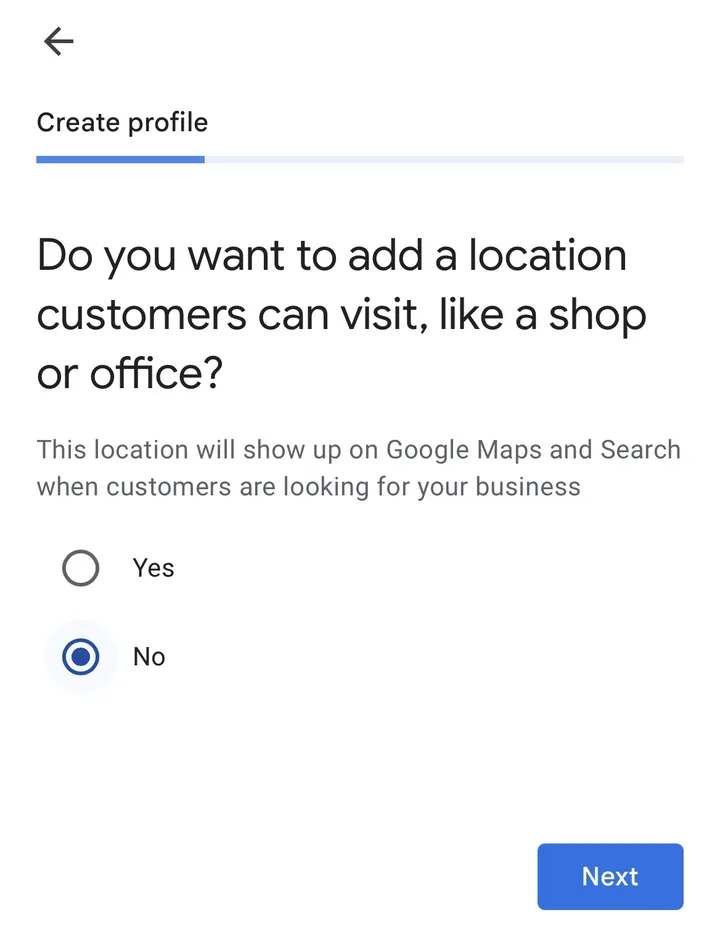
Google asks if you want to add a location customers can visit, like a shop or office. Choose Yes if you have a staffed shop, clinic or office with a signboard, then enter the address or place a pin on the map. Choose No if you go to customers or deliver.
Screenshot: Google Business Profile setup on a phone, October 2026 Add the areas you serve
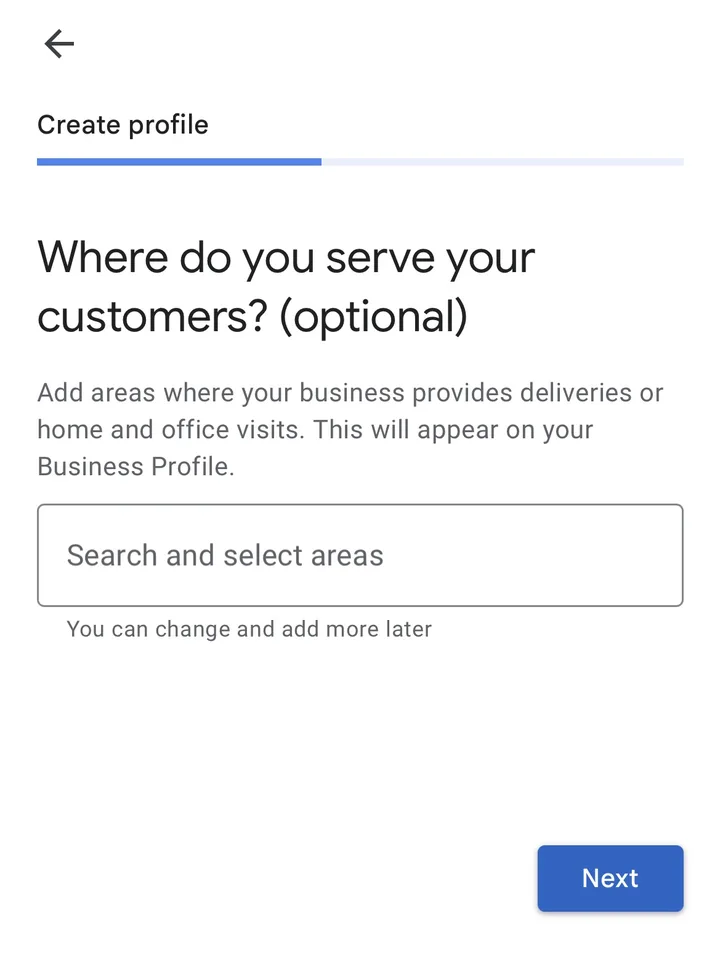
If customers don't visit you, Google asks where you serve them. The screen marks this as optional, but add your cities, PIN codes or localities so the right people find you. Google allows up to 20 areas and suggests keeping them within about two hours' drive of where you're based.
Screenshot: Google Business Profile setup on a phone, October 2026 Confirm your region
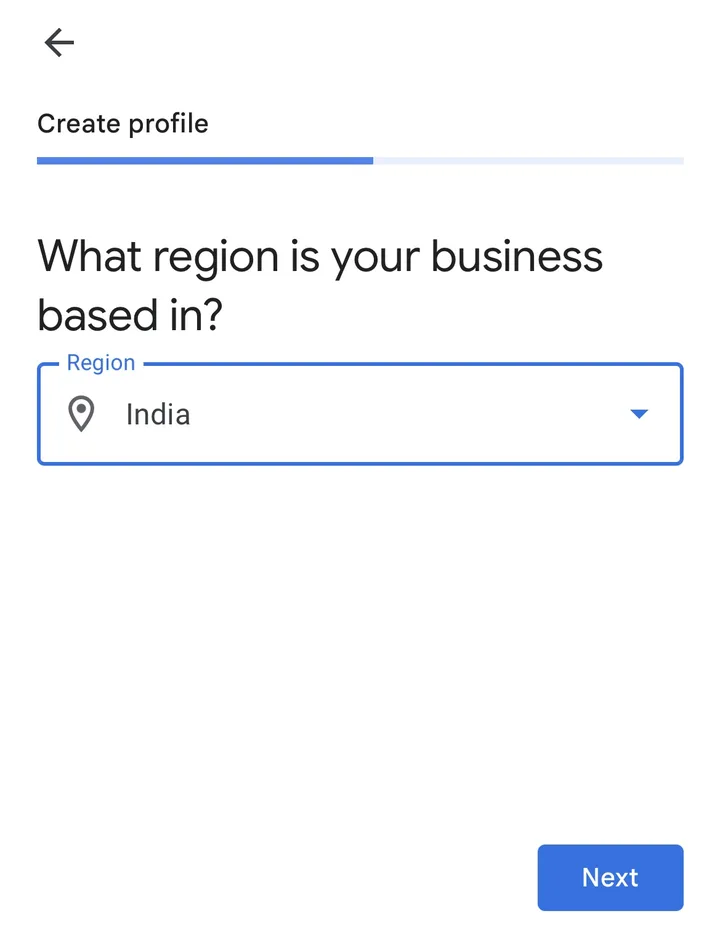
Google asks which region your business is based in. Choose India.
Screenshot: Google Business Profile setup on a phone, October 2026 Add your phone number and website
Enter a phone number that reaches this business directly, not a call centre or an IVR menu. Add your website if you have one. There's also an optional chat setting that lets customers message you by text.
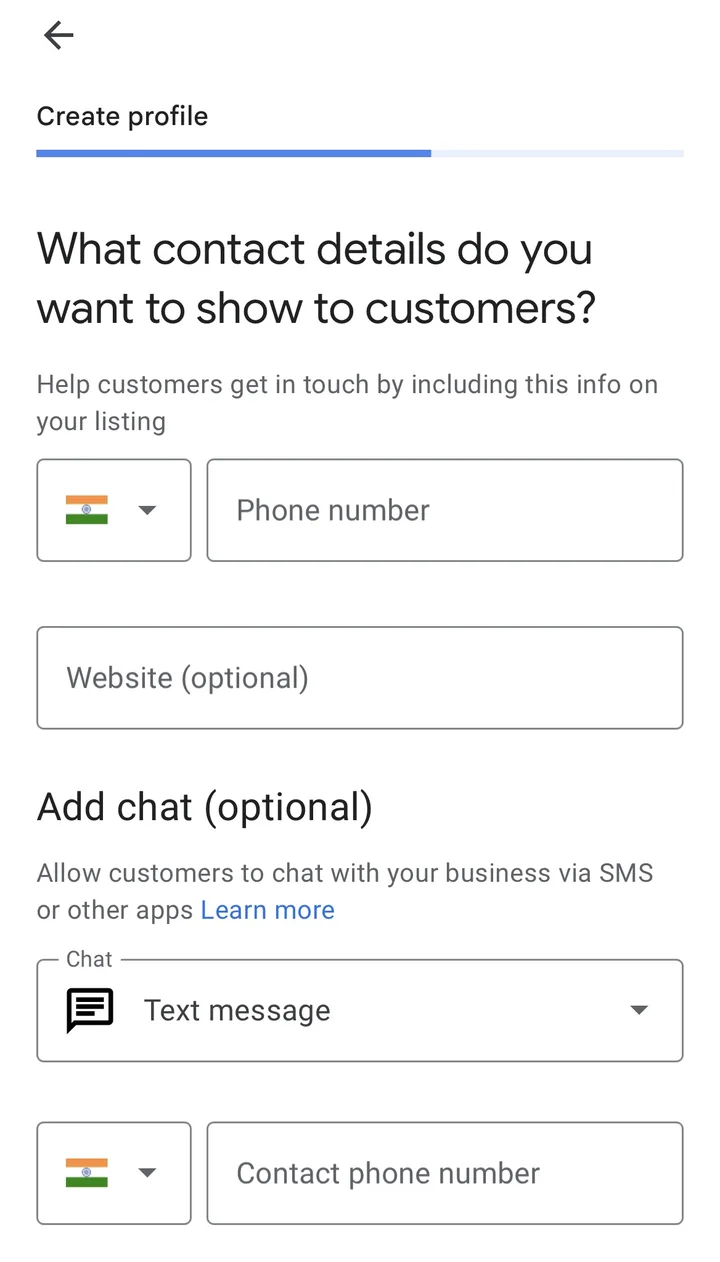
Screenshot: Google Business Profile setup on a phone, October 2026 Enter your address for verification
If you chose that customers don't visit you, Google still asks for your postal address to verify the business. The screen says this address will be hidden from the public, so home-based businesses can use their real home address. Post office boxes aren't accepted.
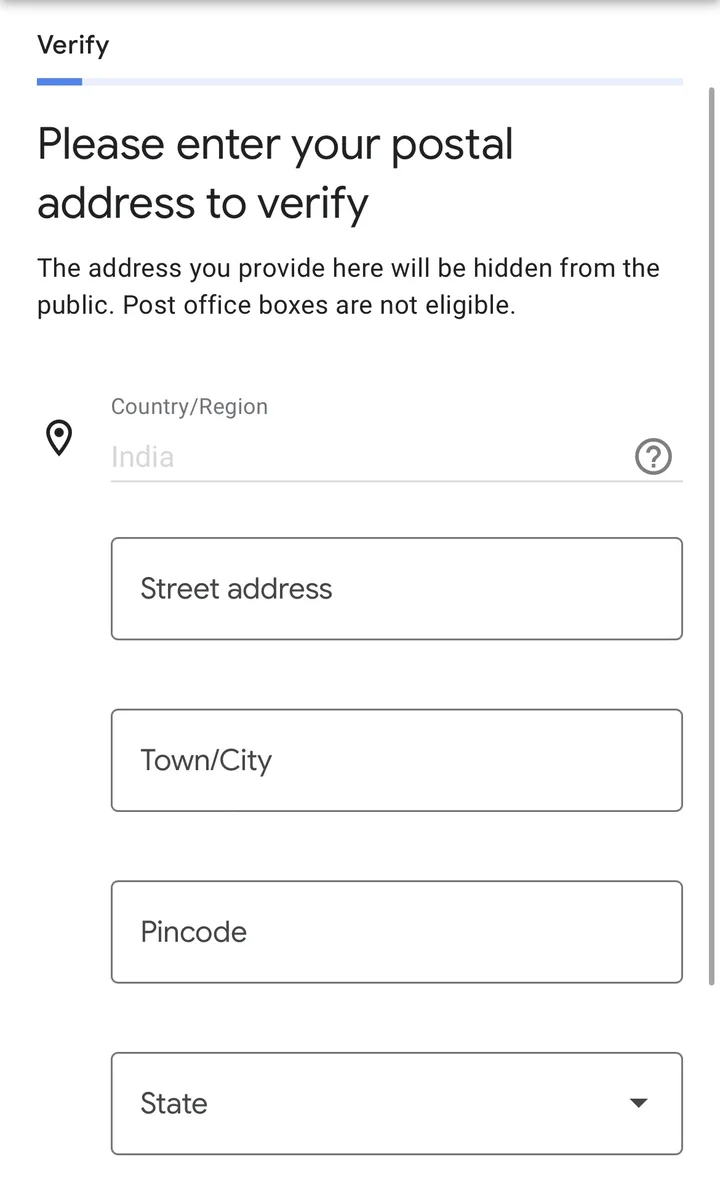
Screenshot: Google Business Profile setup on a phone, October 2026 Choose a verification option
Google then shows the verification methods available for your business. You can verify now or later, but your profile won't appear publicly until you're verified. Review your details first. If you're verifying by postcard, editing the name, address or category while you wait can delay it.
Complete your profile after setup
A bare profile with just a name and number rarely gets calls. Fill these in next.
Services or products
Google suggests services based on your category. Tap the ones you actually offer, and use "Add custom service" for anything missing. This is where services belong, not in the business name.
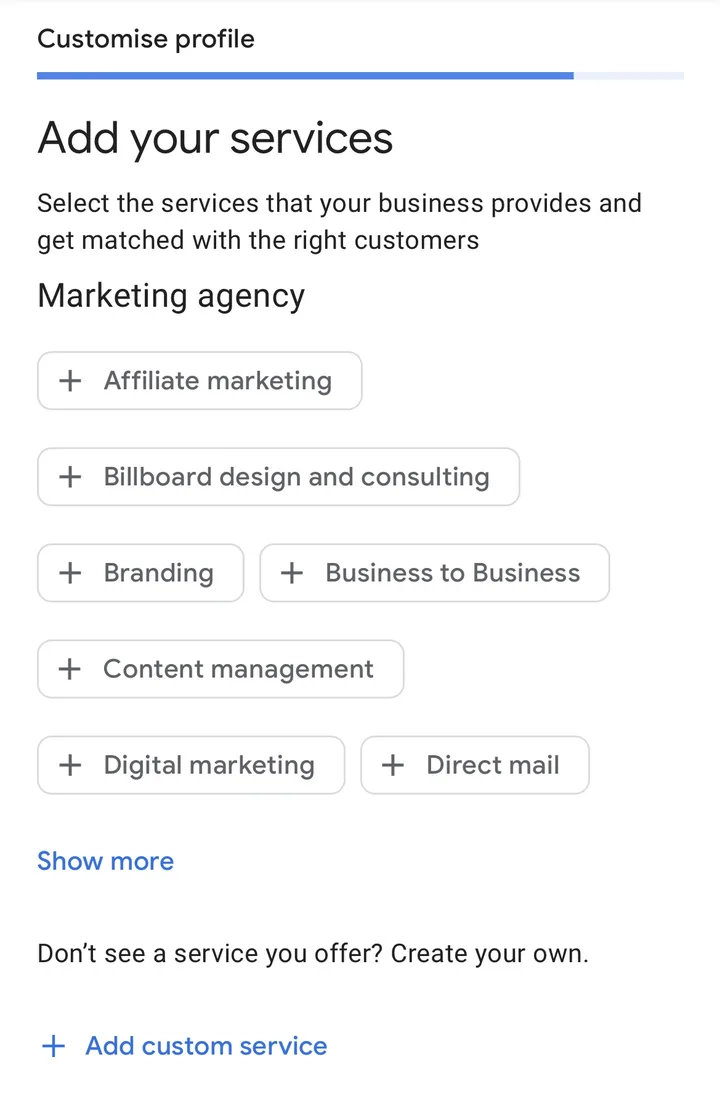
Screenshot: Google Business Profile setup on a phone, October 2026 Opening hours
Every day starts as Closed, so switch on the days you're open and set the times. Later, set special hours for Diwali, Eid, Christmas or other days you're closed or open late.
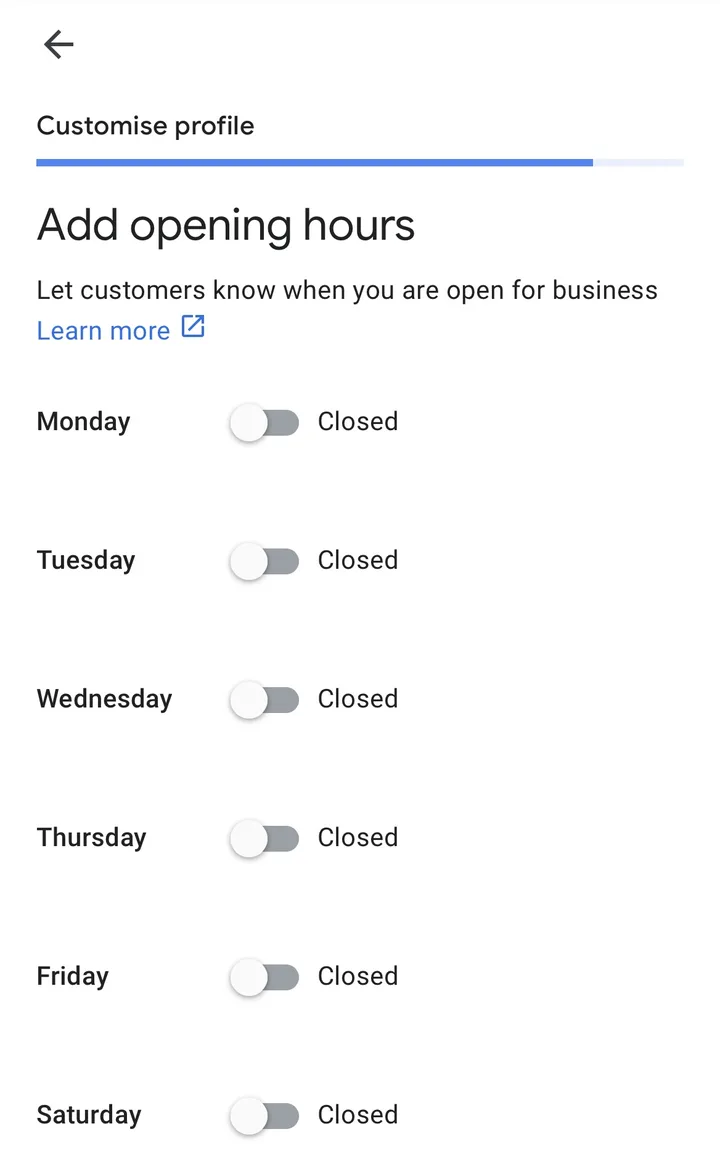
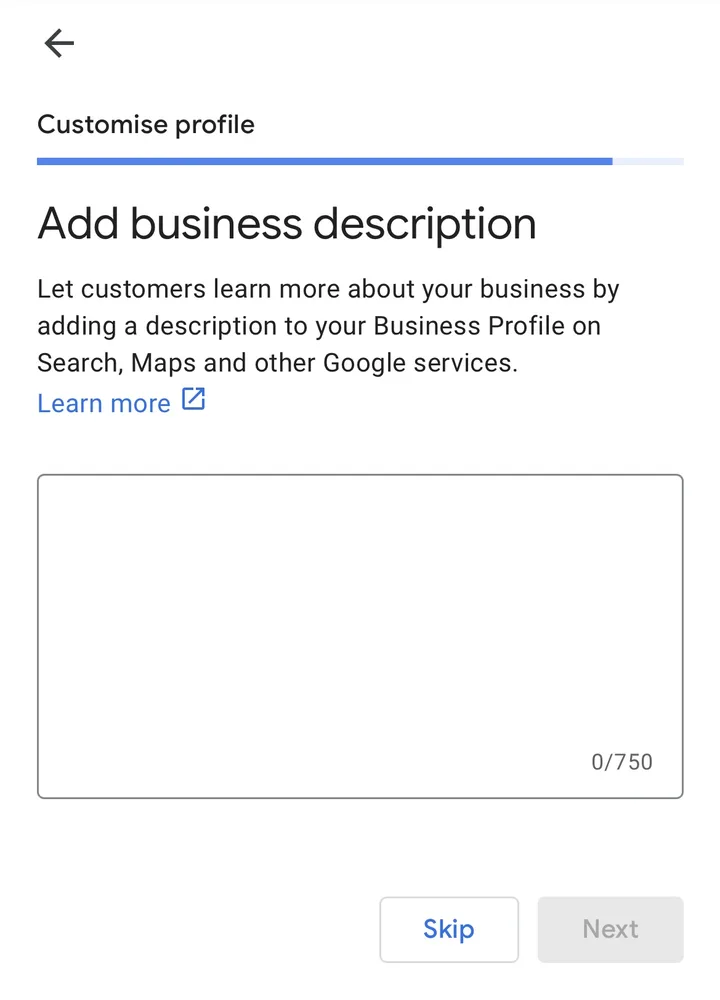
Screenshot: Google Business Profile setup on a phone, October 2026 Business description
You get up to 750 characters. Write a few honest sentences about what you do, who you serve and your history. Google doesn't allow links, sale offers or prices in the description.
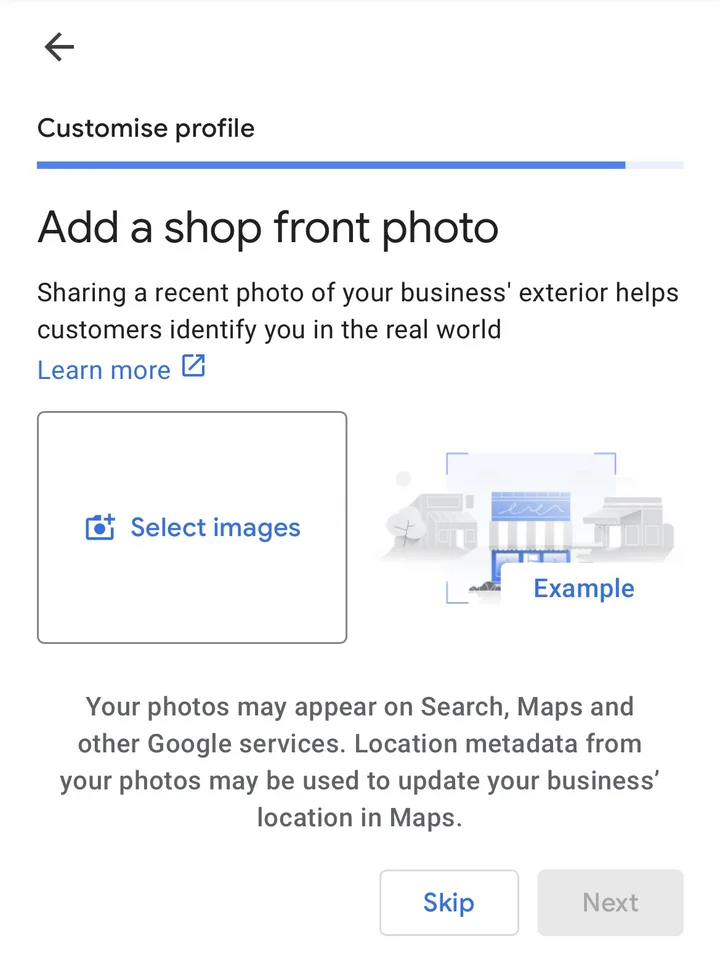
Screenshot: Google Business Profile setup on a phone, October 2026 Photos
Google asks for a shop front photo first, then photos of your business. Start with the outside showing your signboard, then the inside, your team at work and your products. If customers don't visit you, skip the shop front and add photos of your work instead. Real phone photos are fine.
Screenshot: Google Business Profile setup on a phone, October 2026 Skip the Google Workspace offer
Near the end, Google offers a paid Google Workspace trial for business email and storage. It's optional. Your Business Profile works without it, so you can select Skip.
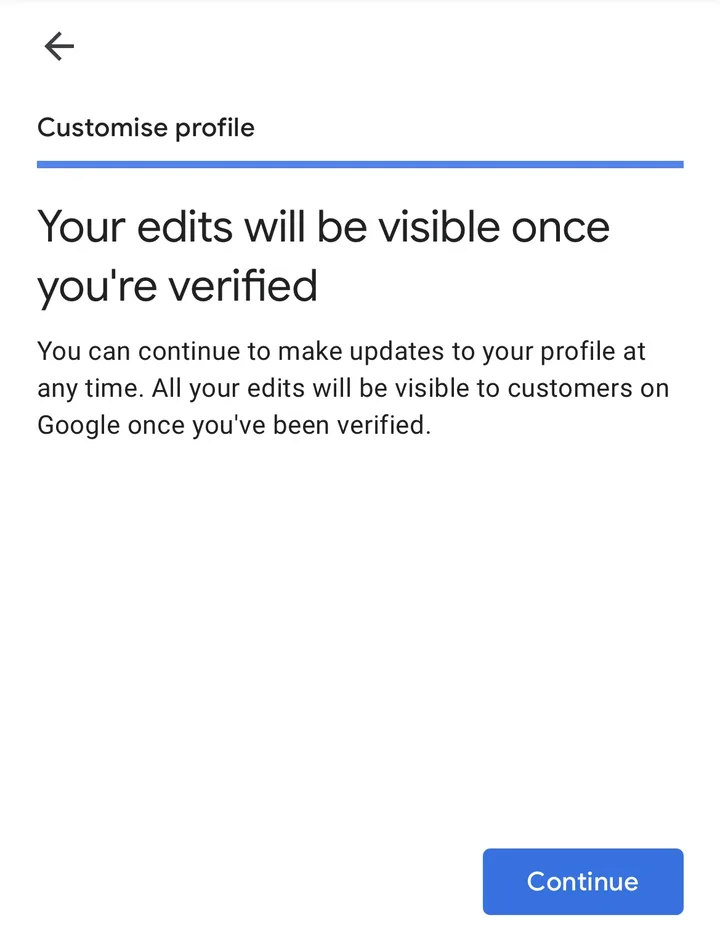
Your edits go live after verification
Google confirms that you can keep editing your profile, and everything becomes visible to customers once you're verified.
Screenshot: Google Business Profile setup on a phone, October 2026 Your review link
Make a short link that opens the review box directly, and send it to happy customers on WhatsApp after a visit.
How Google Business Profile verification works
Google decides which verification methods you get. It depends on your business type, location and other details, and you can't pick a method that isn't offered. Some businesses are asked to verify more than once.
Video recording
You record one continuous video showing your location, your business and proof that you manage it. Google recommends this method when it's offered.
Phone call or SMS
A code is sent to your business phone. An IVR menu can't receive it, so make sure a person or a mobile can answer.
Email
A code or link is sent to the email shown on the verification screen.
Live video call
A Google support person checks your location and business with you on a call. It's only offered to some businesses, during your business hours.
Postcard
A code is posted to your address. Google says most arrive within 14 days and codes expire after 30 days. Don't edit your name, address or category while you wait.
If verification goes wrong
- Video verification requirements: what your video must show
- Video verification rejected: what to show in your next video
- Verification video not uploading: how to get it through
- Verification code not received: what to do next
- Verifying without a video: what options you really have
- Not showing on Google Maps after verification: what's going on
Common setup mistakes
Adding keywords or areas to the name
"Sharma Dental Clinic" is fine. "Sharma Dental Clinic - Best Dentist in Lajpat Nagar, Root Canal" breaks Google's rules and can get the profile suspended.
Suspended for deceptive content: what to fix before you appeal
Using a virtual office or someone else's address
If you don't operate from the address, it isn't eligible. Service businesses should hide their address and use a service area instead.
Creating a second profile for the same business
Only one profile per business per location is allowed. If an old listing already exists, claim it or remove the duplicate rather than starting fresh.
Changing many details at once
Editing the name, address, category and phone together can trigger a re-check or suspension. Make one change at a time, and only when the real world has changed too.
Profile suspended after changing your address: how to get it back
Using a call centre or IVR number
Google wants a number that connects to this business location. IVR systems also can't receive verification codes.
Google Business Profile phone number not approved: how to fix it
After setup
- Google Business category finder
Find the right primary and extra categories for your type of business.
- Google review link generator
Make a direct review link and a WhatsApp message to share it.
- Google Business Profile checklist
Go through every field and see what's still missing.
- Free profile check
Send us your profile and we'll tell you what to fix first.
- Other listings in India
List on Justdial, Bing, Apple and others with the same details.
Questions
Is it free to create a Google Business Profile?
Yes. Google says you can add or claim your business at no charge. Agencies, including us, charge for doing the work for you, but Google itself charges nothing.
How long does Google Business Profile verification take?
After you finish the verification steps, Google says its review takes up to 5 business days, and sometimes longer. If you verify by postcard, the card itself usually arrives within 14 days.
Can I create a Google Business Profile for a business I run from home?
Yes, if you meet customers in person, either at their place or yours. If customers don't come to your home, choose that they can't visit, hide your address and set a service area. Businesses that only work online aren't eligible.
Can I have two locations on Google?
Yes, each real location can have its own profile if it has its own signboard and staff during its hours. You can't make extra profiles for the same location, or for areas you only serve without a branch there.
Do I need a website to create a Google Business Profile?
No. You can leave the website field empty. Google's guidelines ask for a phone number or a website that reaches this business, so a phone number you answer is enough to start.
Rather have us set it up?
We create and verify Google Business Profiles for Indian businesses, and fix ones that are stuck. Tell us about your business and we'll reply within one working day.
Email usSources
Official Google pages we checked on 3 Oct 2026. Google changes its screens often, so the exact buttons you see may differ.
- Google Business Profile Help: Sign up for Business Profile
- Google Business Profile Help: Add or claim your Business Profile
- Google Business Profile Help: Verify your business on Google
- Google Business Profile Help: Manage your service areas
- Google Business Profile Help: Guidelines for representing your business on Google